
You connect ImagineArt to Claude with one custom connector. Open Claude, add ImagineArt's MCP endpoint, sign in once with your imagine.art account, and Claude can generate images, video, and music straight from the chat. No API key, per imagine.art's own setup docs, and they put the full setup at under two minutes.
The reason to bother: ImagineArt is the one creative connector that does all three media types at once. Image, video, and music from a single MCP. According to imagine.art, it is currently the only image-generation MCP that also generates music. Higgsfield and Runway cover image and video; neither does an audio track. If you want a thumbnail, a short clip, and a background score from inside one Claude thread, this is the connector that does it.
Fair warning up front: we run Higgsfield through Claude on this site, and the steps below mirror that flow almost exactly. We have not connected ImagineArt ourselves yet, so this guide follows imagine.art's published documentation rather than a hands-on run. Where a detail matters, check imagine.art/mcp directly. This is also a fast guide for a tool with thin coverage, so the docs are the source of truth, not a dozen reblogs.
What is the ImagineArt MCP?
The ImagineArt MCP is a connector that exposes ImagineArt's creative tools to Claude (and other MCP clients) over HTTP. MCP, the Model Context Protocol, is the standard Anthropic shipped in late 2024 for wiring external tools into Claude. Once the connector is live, you ask Claude in plain language and it calls the right ImagineArt tool, runs the job on imagine.art's side, and posts the result back in the chat.
Per imagine.art, the connector ships six creative tools:
Text to Image, built on the ImagineArt 2.0 model.
Text to Video, running Seedance 2.0, up to 10 seconds per clip.
Music Generation, royalty-free tracks cleared for commercial use.
Background Removal, returning a transparent PNG.
4x Image Upscaling, detail-aware.
Balance Inquiry, which returns your remaining credits, plan, and renewal date.
imagine.art also lists Cursor, Cline, and other MCP-compatible clients as supported, not just Claude. The auth model is OAuth through your imagine.art account, so there is no key to generate or paste. imagine.art describes the server as zero data retention, processing each request without storing prompts or outputs.
Connect ImagineArt to Claude (web or desktop)
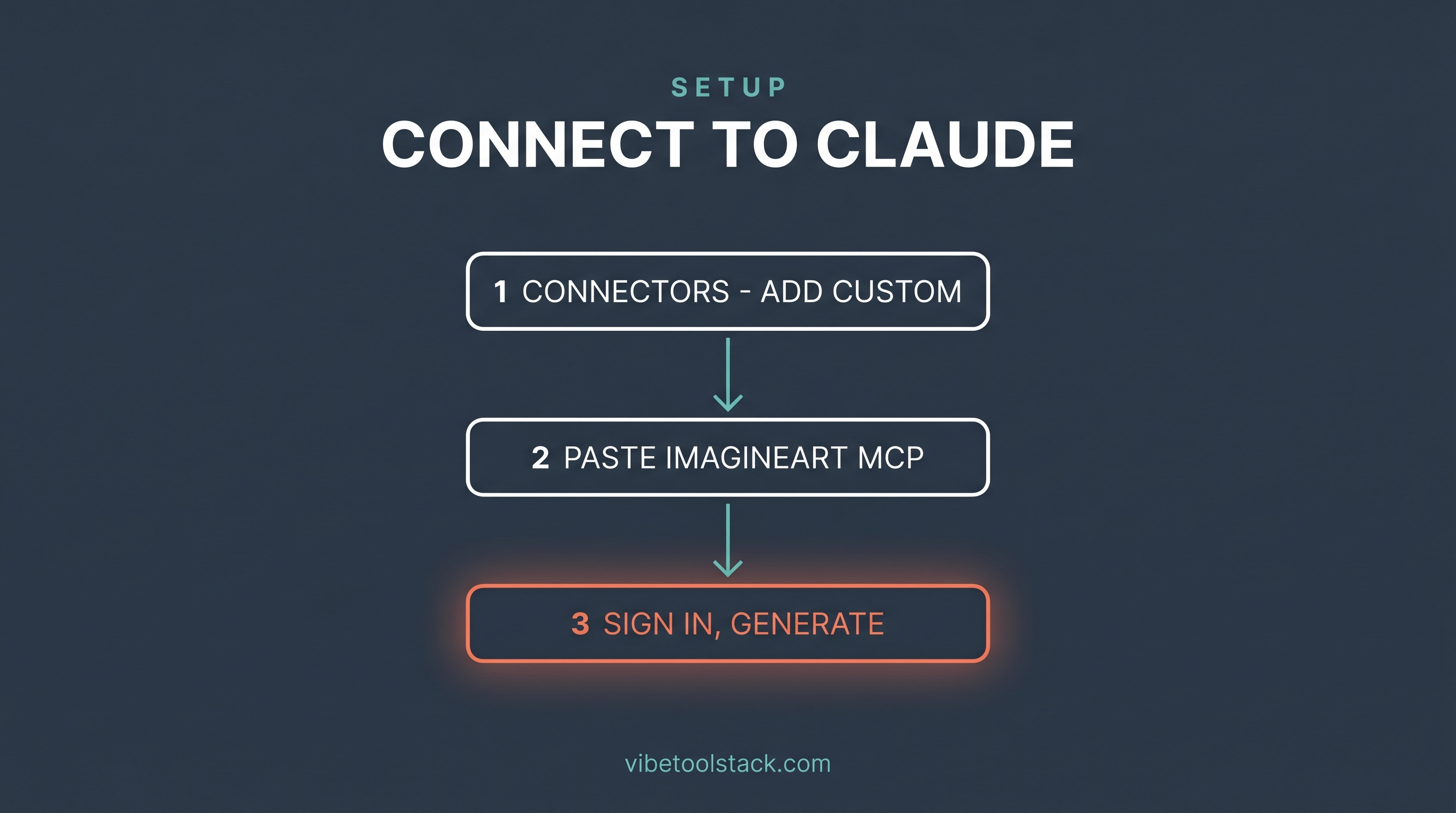
This is a one-time setup. After it is done, ImagineArt shows up in every new chat. The steps below follow imagine.art's documented flow.
1. Open Claude and go to Settings, then Connectors.
2. Click Add custom connector.
3. Name it Imagine MCP.
4. Paste the MCP URL:
https://mcp.imagine.art5. Click Add, then Connect, and sign in to your imagine.art account when the OAuth prompt opens.
6. Approve the connection. ImagineArt's tools now appear in Claude.
If you have wired up a creative connector before, this will feel familiar. It is the same Settings to Connectors path we used for Higgsfield. The only thing that changes is the name and the URL.
Connect ImagineArt in Claude Code
One command, per imagine.art's docs. It uses HTTP transport and browser OAuth, so again, no API key.
claude mcp add imagine --transport http https://mcp.imagine.artRun it, then confirm it registered:
claude mcp listSign in to imagine.art in the browser tab that opens, approve, and the connector is live. imagine.art suggests a first sanity check: ask Claude to check your ImagineArt balance. If it returns your credits, you are connected.
For Cursor users, imagine.art documents adding the server to .cursor/mcp.json with the same https://mcp.imagine.art URL. Cline has its own MCP-server panel in VS Code. The pattern is identical across clients: point at the URL, authenticate, done.
Run your first generation
Connected. Now prove it works. Because ImagineArt does three media types, you can test each one with a plain-language prompt. imagine.art's own example prompts are a good starting point.
For an image:
Generate a product image of a minimalist skincare bottle on a white background, soft studio lighting, shadows at the base, square format.For a short video (Seedance 2.0 caps clips at 10 seconds):
Generate a short video of someone opening a laptop in a bright home office. Natural light, casual, 16:9 format.For music, which is the part no other creative connector does:
Generate a calm, upbeat background track for a product demo video. 110 BPM, synth pad and light percussion, no vocals.Claude routes each request to the matching ImagineArt tool, runs it on imagine.art's side, and returns the asset in the thread. That image, clip, and track all come from one connector in one conversation. With a Higgsfield-style setup you would have the image and the clip, then you would still be off finding a separate tool for the audio.
How do ImagineArt credits work?
ImagineArt runs on a credit system, and every tool call spends credits based on what you generate. imagine.art's line is that your existing plan credits work through any connected agent, so the same balance you use on the web app powers your Claude generations. You do not buy separate MCP credits.
Published pricing as of June 2026, per imagine.art:
Free: $0, 100 credits per day.
Basic: $9/mo, 3,000 credits.
Standard: $20/mo, 8,000 credits.
Ultimate: $34/mo, 16,000 credits.
Creator: $175/mo, 100,000 credits.
The free tier matters here. Unlike Higgsfield, which has no free plan as of June 2026, ImagineArt gives you 100 credits a day to test the connector before paying anything. That is enough to confirm the connect flow works and to feel out the output quality. Check imagine.art for current numbers before you subscribe, since plans move.
Use the Balance Inquiry tool to keep an eye on burn. Asking Claude to check your balance mid-session is the cheapest habit you can build. Video and music will eat credits faster than a single image, so watch the meter once you start iterating.
ImagineArt vs the other creative connectors: which to pick
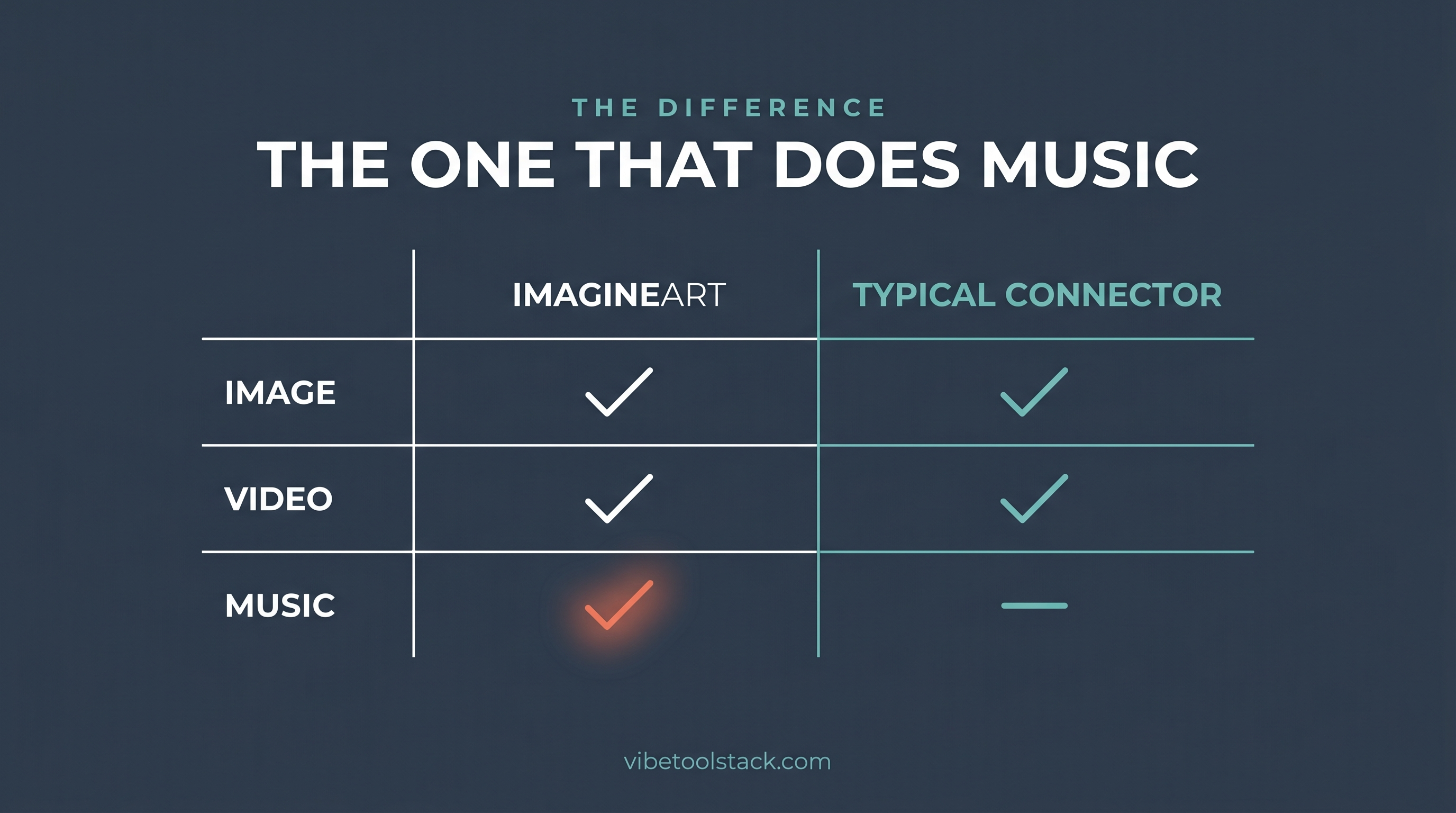
Pick ImagineArt when you want image, video, and music from one connector, or when you want a free tier to test before paying. The music tool is the real reason to reach for it. If your project needs a background track alongside the visuals, ImagineArt is the only one of these connectors that delivers all three in a single chat.
Pick Higgsfield when you want a deep model bench for video. It exposes 30-plus models (Soul, Seedance, Kling, Veo, and more) and we have run it hands-on with real output. Its video is image-to-video only, and there is no free plan. Our Higgsfield review at /tools/higgsfield has the proof, and the connect walkthrough plus first image and video tests live at /blog/create-images-claude-higgsfield and /blog/create-videos-claude-higgsfield.
For the full landscape of every creative connector worth wiring into Claude, ranked by creator fit, see our hub at /blog/best-claude-creative-connectors. It covers ImagineArt, Higgsfield, Runway, and the rest in one table.
The bottom line
ImagineArt is the connector to add when you want one Claude thread to hand you a picture, a clip, and a soundtrack. Per imagine.art, it is the only image-generation MCP that also makes music, and that single fact is its whole pitch. The connect flow is the standard custom-connector path, the free tier lets you test for nothing, and the credit model reuses your existing plan balance.
Skip it if you need a wide video model bench or proven hands-on reliability today. There Higgsfield is the safer call, and it is the one we have actually run. But if the brief is image plus video plus music without leaving the chat, ImagineArt is currently the only connector that closes it. Follow imagine.art/mcp for the canonical setup, and use the steps above to get live.
Vibetoolstack reviews tools we'd recommend to readers building toward $10k/mo of independent income. Where an affiliate program exists and we participate, the link is marked. Where not, links are editorial. The verdict above doesn't depend on affiliate status.