
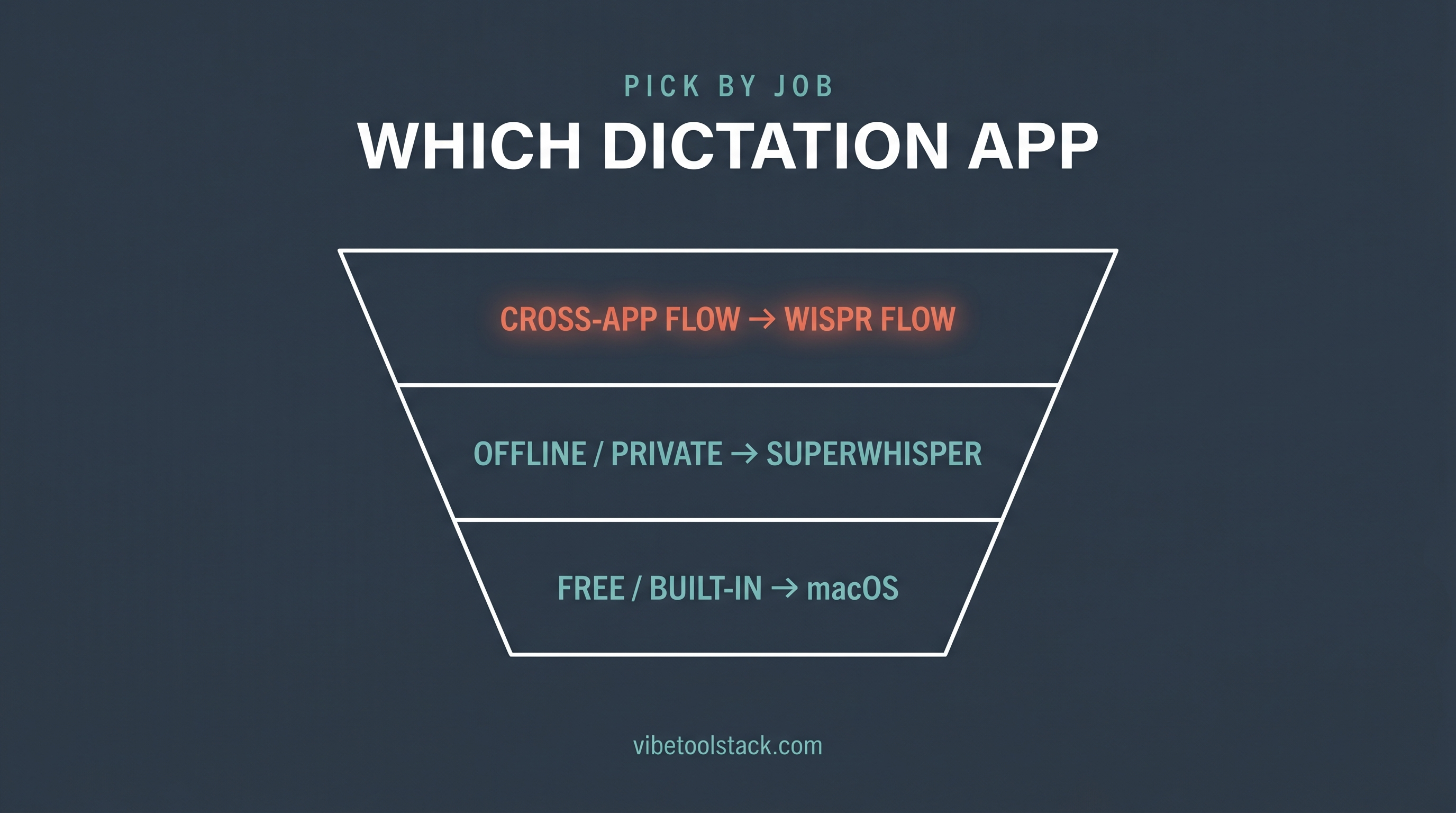
The best AI dictation app for most people in 2026 is Wispr Flow, because it runs everywhere you already write (Mac, Windows, iPhone, Android) and auto-cleans your rambling into finished text. But "best" depends on the job: if you live on an Apple Silicon Mac and care about offline privacy, Superwhisper wins; if you dictate code and need raw accuracy, Aqua Voice; if you want free and zero install, macOS built-in Dictation already ships on your machine.
AI dictation apps turn speech into formatted text system-wide, not just inside one box. You hold a hotkey, talk, and the app drops cleaned-up text wherever your cursor is: Gmail, Slack, Cursor, a code comment, a Notion doc. Speaking runs past 200 words per minute against roughly 40-45 for typing, so the pitch is real time saved, if the accuracy holds up.
This list is ranked by use-case fit, not by who pays us. Wispr Flow is our affiliate partner, and it still has to earn its spot on merit. Where it loses on fit, a competitor takes the slot. All prices were verified against each vendor as of June 2026; pricing in this category moves fast, so check the vendor before you buy.
Which AI dictation app is best?
Wispr Flow is best for most builders who write across many apps and devices. Superwhisper is best for offline, local-first privacy on Apple Silicon. Aqua Voice is best for accuracy-sensitive work like dictating code or technical prose. MacWhisper is best for one-time-purchase offline transcription of files and audio. macOS Dictation is best when free and already-installed beats everything else. WillowVoice is best when compliance (SOC 2, HIPAA, zero data retention) is the deciding factor. The rest of this guide gives each one a fair, specific read.
1. Wispr Flow: best all-around for cross-app, cross-device writing
Wispr Flow is a voice-first dictation layer that works across 40+ apps on Mac, Windows, iPhone, and Android, with AI auto-edits that turn spoken rambling into clean text. Per wisprflow.ai, it claims around 220 WPM versus 45 for typing, a personal dictionary that learns your names and terms, a snippet library for repeated phrases, and 100+ languages with auto-detection.
Pricing (verified June 2026 on wisprflow.ai/pricing): Flow Basic is free with 2,000 words/week on Mac or Windows and 1,000 words/week on iPhone. Flow Pro is $15/user/month, or $12/user/month billed annually, for unlimited words plus command mode for editing by voice. New users get 14 days of Pro free, no card required.
What stands out: it is the only one here that feels native on Windows and Android too, not just Mac. The auto-edit step is the differentiator. It strips filler and fixes punctuation so the output is usually paste-ready, which matters when you are dictating into a Slack thread or a commit message and do not want to clean up after yourself.
Where it falls short: it is cloud-based, so speech is processed on Wispr's servers, not on your device. If your work is under a strict privacy or compliance regime, that alone can rule it out, and it is the most common reason people in the "why I cancelled" threads switch to a local option. The free tier's 2,000 words/week also runs out fast if dictation becomes your default input.
The bottom line: Wispr Flow is the default pick for builders who write everywhere and want output they do not have to edit. Read the full Wispr Flow review for hands-on notes, or see when it is not the right call in our Wispr Flow alternatives breakdown. If you write code by voice, our voice-coding guide covers the workflow.
2. Superwhisper: best for offline, local-first privacy
Superwhisper runs dictation locally on your device, which is the headline. Per superwhisper.com, it works offline ("No Wi-Fi, no problem") with local AI models optimized for Apple Silicon, supports 100+ languages, and lets you bring your own API key for GPT, Claude, or Llama. It ships custom modes (Message, Email, Voice) and handles meeting and file transcription.
Pricing (verified June 2026): a free tier covers everyday voice-to-text with smaller models after a 15-minute Pro trial. Pro runs roughly $8.49/month. Superwhisper also sells a lifetime license, but that price changed during 2026 and third-party sources disagree on the current figure, so check the vendor directly before buying lifetime. Students get 40% off and every paid plan has a 30-day refund window.
What stands out: offline processing on Apple Silicon means your audio never leaves the Mac. For anyone who balked at cloud dictation, this is the answer. Bring-your-own-model also means you are not locked into one provider's formatting.
Where it falls short: offline models need Apple Silicon to shine. Intel Macs lean on cloud models, which undercuts the privacy pitch. Setup is more involved than the click-and-talk apps because you are choosing models and modes. It is Mac, Windows, and iOS, but the local-model story is strongest on Apple hardware.
The bottom line: Superwhisper is the pick when offline privacy is non-negotiable and you are on Apple Silicon. It trades a little setup friction for keeping your voice on your own machine.
3. Aqua Voice: best for accuracy and dictating code
Aqua Voice is built around accuracy and technical text. Per aquavoice.com, it claims 97.3% accuracy on the AISpeak benchmark and around 230 WPM, with real-time voice editing (refine text while you keep talking) and an understanding of "syntax, libraries, and frameworks." It covers 49 languages on Mac, Windows, and iOS.
Pricing (verified June 2026): a free Starter tier gives 1,000 words and 5 custom dictionary entries. Pro is $8/month billed annually for unlimited words, the Avalon model, and 800 dictionary values. Team is $12/month billed annually with centralized billing and org-wide privacy mode.
What stands out: the code-awareness is genuine. If you dictate variable names, library calls, or framework terms, Aqua mangles them less than general-purpose dictation. The 1,000-word free tier is small but enough to test whether the accuracy claim holds for your accent and vocabulary.
Where it falls short: 49 languages is roughly half what Wispr Flow and Superwhisper advertise, so multilingual users may hit gaps. It is cloud-based, so the same privacy caveat as Wispr applies. The free tier is a one-time 1,000 words, not a recurring weekly allowance, so it is a trial more than a usable free plan.
The bottom line: Aqua Voice is the accuracy pick, and the one to test first if you dictate code or dense technical writing.
4. MacWhisper: best one-time-purchase offline transcription
MacWhisper is a Mac-only app from Goodsnooze that runs OpenAI's Whisper models entirely on your device. It is less a live cross-app dictation layer and more a transcription workhorse: batch-transcribe files, transcribe mic or system audio, and run it all offline. Details are on macwhisper.com.
Pricing (verified June 2026): there is a free version that uses the smaller Whisper models. The Pro license is a one-time purchase (not a subscription) on the Goodsnooze store, which unlocks the larger, more accurate models plus batch transcription. The exact Pro figure has shifted, so check the vendor page for the current price before buying. A separate Mac App Store version (Whisper Transcription) uses subscription pricing if you prefer that channel.
What stands out: pay once, own it, run it offline forever. For anyone allergic to monthly subscriptions, that is the whole appeal. Local Whisper means full privacy, and the file/batch transcription is genuinely strong for processing recordings rather than live dictation.
Where it falls short: it is Mac-only, so Windows and mobile users are out. It leans toward transcription of files and audio rather than the always-on, type-anywhere flow that Wispr Flow and Superwhisper offer. If your goal is dictating live into apps all day, the others fit that loop better.
The bottom line: MacWhisper is the buy-once, offline pick, best for Mac users who transcribe files and want to skip subscriptions.
5. macOS Dictation: best free, already-installed option
macOS built-in Dictation is free, on-device, and already on your Mac. Per Apple's support docs, you enable it under System Settings > Keyboard > Dictation, voice input for general text can be processed on-device rather than sent to Apple's servers, and there is no timeout: you can dictate text of any length.
Pricing (verified June 2026): free. It ships with macOS, with nothing to install or subscribe to.
What stands out: zero cost, zero setup, and on-device processing for general text. If you have never tried dictation, this is the no-risk way to find out whether talking instead of typing fits how you work, before you pay for anything.
Where it falls short: no AI auto-editing, so you get a fairly literal transcript with filler words and missing formatting that you clean up by hand. No personal dictionary that learns your jargon, no snippet library, and accuracy on technical terms trails the paid apps. Language and feature availability also vary by region.
The bottom line: macOS Dictation is the free baseline. Start here to test the habit, then upgrade to a paid app when the manual cleanup starts costing you more time than it saves.
6. WillowVoice: best when compliance is the deciding factor
WillowVoice is a dictation app that leads with security and accuracy claims. Per willowvoice.com, it offers an offline mode ("powered entirely by your device"), claims 3x the accuracy of built-in dictation with text in as little as 200ms, smart formatting that removes filler and fixes punctuation, style-matching that learns how you write, 100+ languages, and a compliance stack: SOC 2 Type II, HIPAA, zero data retention, and end-to-end encryption. It runs on Mac, Windows, and iPhone.
Pricing (verified June 2026): WillowVoice does not list plan prices on its homepage, so check the vendor for current free-tier limits and paid pricing rather than trusting a number from a third party.
What stands out: the compliance posture is the clearest of any app here. SOC 2 Type II plus HIPAA plus zero data retention is the combination regulated teams actually ask for, and the offline mode backs it up. The sub-200ms latency claim, if it holds for you, makes dictation feel closer to typing in real time.
Where it falls short: the pricing opacity is a real friction point. You cannot compare cost without going through the vendor flow, which the others let you do up front. It is also a smaller, newer name than Wispr Flow or Superwhisper, so there is less independent track record to lean on.
The bottom line: WillowVoice is the pick when SOC 2 or HIPAA is a hard requirement. For most builders without that constraint, Wispr Flow covers the same ground with clearer pricing.
The apps compared
Prices below were verified against each vendor in June 2026. "Offline?" means dictation can run without an internet connection. Where a price moves often, the cell says to check the vendor.
| App | Price (June 2026) | Platforms | Offline? | Best for |
|---|---|---|---|---|
| Wispr Flow | Free (2,000 words/wk); Pro $15/mo or $12/mo annual | Mac, Windows, iPhone, Android | No (cloud) | Cross-app, cross-device writing |
| Superwhisper | Free tier; Pro ~$8.49/mo; lifetime (check vendor) | Mac, Windows, iOS | Yes (Apple Silicon) | Offline, local-first privacy |
| Aqua Voice | Free (1,000 words); Pro $8/mo annual; Team $12/mo annual | Mac, Windows, iOS | No (cloud) | Accuracy + dictating code |
| MacWhisper | Free version; Pro one-time (check vendor) | Mac only | Yes (local Whisper) | Buy-once file transcription |
| macOS Dictation | Free (built in) | Mac | Yes (on-device, general text) | Free, zero-setup baseline |
| WillowVoice | Check vendor (not listed publicly) | Mac, Windows, iPhone | Yes (offline mode) | SOC 2 / HIPAA compliance |
How to pick the right one for you
Pick by the job, not the feature list. Most people only need one of these.
Write across many apps and devices: Wispr Flow. It is the only one that feels native on Windows and Android as well as Mac, and the auto-edits mean less cleanup.
Keep your voice off the cloud: Superwhisper on Apple Silicon, or MacWhisper if you mainly transcribe files and want to pay once.
Dictate code or technical prose: Aqua Voice. Its code-awareness and accuracy claim are the strongest fit for syntax-heavy text.
Spend nothing and test the habit: macOS Dictation. It is already installed and has no length limit.
Answer to a compliance team: WillowVoice for the SOC 2 plus HIPAA stack, or Wispr Flow Enterprise, which also carries SOC 2 Type II and ISO 27001 per its pricing page.
The bottom line
For most builders, Wispr Flow is the AI dictation app to start with: it works everywhere you write, on every device, and ships output you rarely have to edit. If offline privacy is the priority, Superwhisper (Apple Silicon) or MacWhisper (buy-once, Mac-only) take over. For accuracy and code, Aqua Voice; for free and already-installed, macOS Dictation; for compliance, WillowVoice.
Every one of these has a free tier or a refund window. Test two or three against your own accent, vocabulary, and apps before you commit to a subscription. Dictation is a habit as much as a tool, and the right pick is the one you actually keep open.
Next reads: the full Wispr Flow review, when to reach for an alternative in Wispr Flow alternatives, and how builders write code by speaking in our voice-coding guide.
Frequently Asked Questions
What is the best AI dictation app in 2026?
Wispr Flow is the best AI dictation app for most people in 2026 because it works across 40+ apps on Mac, Windows, iPhone, and Android with AI auto-editing. Superwhisper is the better pick for offline privacy on Apple Silicon, and Aqua Voice for accuracy-sensitive work like dictating code.
Is there a free AI dictation app?
Yes. macOS Dictation is free, built into every Mac, on-device for general text, and has no length limit. Wispr Flow, Superwhisper, and Aqua Voice also have free tiers, though they cap the number of words before you need a paid plan.
Which AI dictation app works offline?
Superwhisper (on Apple Silicon), MacWhisper (local Whisper models, Mac only), and macOS Dictation (on-device for general text) all work offline. Wispr Flow and Aqua Voice are cloud-based as of June 2026, so they need an internet connection.
How much does Wispr Flow cost?
Wispr Flow has a free Flow Basic tier (2,000 words per week on Mac or Windows). Flow Pro is $15 per user per month, or $12 per user per month billed annually, for unlimited words, verified June 2026 on wisprflow.ai. New users get 14 days of Pro free with no card.
Wispr Flow vs Superwhisper: which is better?
Wispr Flow is better for cross-app, cross-device cloud dictation with the least cleanup. Superwhisper is better if you need offline, local processing on Apple Silicon. Wispr Pro is around $15/month; Superwhisper Pro is roughly $8.49/month with a lifetime option, both verified June 2026.
Wispr Flow vs Aqua Voice: which is more accurate?
Aqua Voice leads on raw accuracy and code-awareness, claiming 97.3% on the AISpeak benchmark per aquavoice.com. Wispr Flow trades a little accuracy for broader platform support (including Windows and Android) and stronger auto-editing of conversational text.
Is Wispr Flow good for dictating code?
Wispr Flow works inside code editors like VS Code and Cursor and is fine for comments, commits, and prompts to AI assistants. For dictating actual syntax, variable names, and framework terms, Aqua Voice is more accurate. See our voice-coding guide for the full workflow.
What is the cheapest AI dictation app?
macOS Dictation is the cheapest because it is free and built into macOS. Among paid apps, Aqua Voice ($8/month billed annually) and Superwhisper (~$8.49/month) are the lowest subscriptions, and MacWhisper offers a one-time Pro purchase instead of a subscription, verified June 2026.
Are AI dictation apps private?
It depends on the app. Superwhisper, MacWhisper, and macOS Dictation can process speech on-device. Wispr Flow and Aqua Voice are cloud-based. WillowVoice carries SOC 2 Type II, HIPAA, and zero-data-retention claims for regulated teams. Always confirm current terms with the vendor.
How much faster is dictation than typing?
Speaking runs past 200 words per minute, while typing averages around 40 to 45. Wispr Flow cites about 220 WPM and Aqua Voice around 230 WPM versus a keyboard, per their sites (June 2026). Real-world gains depend on accuracy and how much editing you do afterward.