
The best Wispr Flow alternative depends on the one thing you care about most. Want fully local processing for privacy: Superwhisper. Want the highest transcription accuracy: Aqua Voice. Want a cheap offline app you buy once: MacWhisper. Want free and built in: macOS Dictation. Want hands-free control for accessibility or coding: Talon. For most builders who just want fast, accurate dictation across every app with no setup, Wispr Flow is still the default, and the rest of this article is about when it is not.
All pricing and feature claims below were checked against each vendor as of June 2026. Voice tools move fast, so confirm the current numbers on the vendor page before you pay.
When is Wispr Flow the right call?
Wispr Flow is the right call when you want dictation that works everywhere with almost no setup. It runs on Mac, Windows, iPhone, and Android, auto-formats as you speak, strips filler words, and handles 100+ languages. Per wisprflow.ai/pricing, the free Flow Basic tier covers 2,000 words a week on Mac or Windows and 1,000 a week on iPhone. Flow Pro is $15 per user per month billed monthly, or $12 per user per month billed annually, for unlimited words and command mode.
If you dictate across a lot of different apps, switch machines, and do not want to manage local models or config files, Wispr Flow earns the default slot. We keep a fuller breakdown in the Wispr Flow review, and a head-to-head in Superwhisper vs Wispr Flow. So why would you look elsewhere? Two reasons keep showing up.
Why do some people cancel Wispr Flow?
Two honest objections drive most of the switching: price and privacy. Neither is a dealbreaker for everyone, but both are real, and pretending otherwise would not help you decide.
Price is the first. At $12 to $15 per user per month, Wispr Flow is a recurring subscription. A writer who dictates a few notes a day can find that hard to justify against a free built-in tool or a one-time purchase. The free tier helps, but the 2,000-words-a-week cap on Mac and Windows runs out fast if dictation is your main input method.
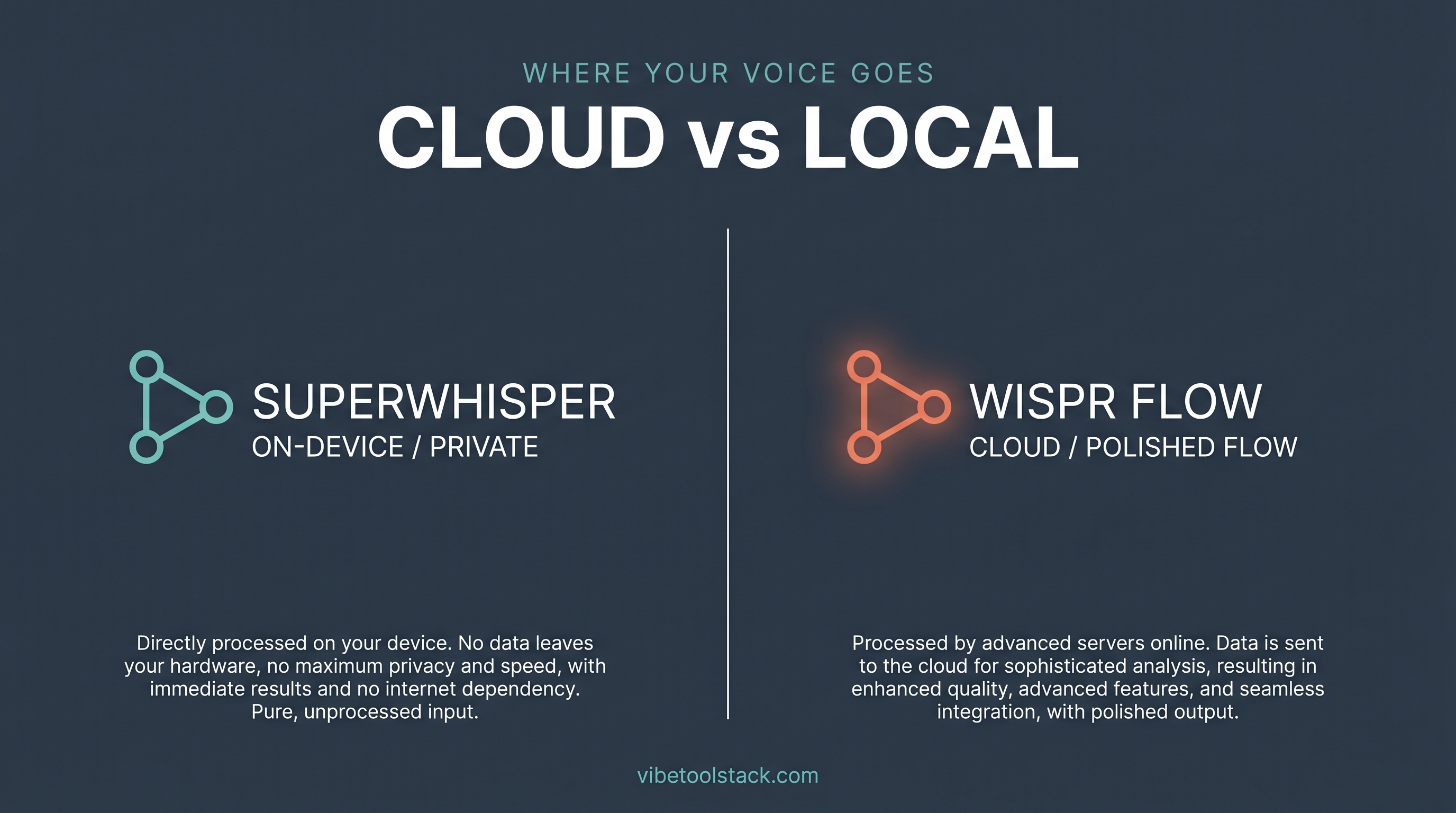
Privacy is the second, and it is the one that shows up in cancellation write-ups across Medium and Reddit. Cloud dictation means your speech is processed on a server, not only on your machine. For most work that is fine. For anyone handling client data, health information, or anything under a strict policy, "processed in the cloud" is a real concern, and it is the reason the local-first alternatives below exist.
Both objections point at specific alternatives. If price is the issue, a free or buy-once tool fixes it. If privacy is the issue, a local-only tool fixes it. Match the objection to the tool rather than switching blind.
Is your data private with Wispr Flow?
Wispr Flow processes dictation in the cloud, which is standard for AI dictation tools that auto-format and clean up speech in real time. For business use, the company lists SOC 2 Type II and ISO 27001 compliance on its enterprise tier and offers a privacy mode, per its own site. That covers most professional needs.
What it does not give you is fully on-device processing, where your audio never leaves your machine. If that is a hard requirement, Superwhisper runs offline models locally on Apple Silicon, and MacWhisper runs OpenAI Whisper models entirely on your Mac. Apple's built-in macOS Dictation also processes general text dictation on device rather than on Apple servers, per Apple's documentation. If a request never leaves your laptop, there is nothing in the cloud to worry about.
Which Wispr Flow alternative fits which need?
Pick by the single need that made you look past Wispr Flow. Each tool below wins one scenario clearly and loses the others, so there is no universal "best alternative," only the right one for your constraint.
Superwhisper: best for local processing and privacy
Superwhisper is the alternative when you want local, offline transcription. Per superwhisper.com, it works offline so you can transcribe with no internet, with offline models running best on Apple Silicon. It supports macOS, Windows, and iOS, covers 100+ languages, and lets you choose cloud AI models if you want them. Pricing is a free tier with unlimited use of small offline models, a Pro plan at $8.49 a month, and a one-time lifetime license. Best for: privacy-conscious builders on Apple hardware who want dictation that never needs a connection.
Aqua Voice: best for accuracy
Aqua Voice is the alternative when raw accuracy matters most. The site (now at aquavoice.com, formerly withaqua.com) claims 97.3% accuracy on the AISpeak benchmark using its Avalon transcription model, and pitches roughly 230 words per minute against 40 for typing. It runs on Mac, Windows, and iOS, and states that nothing is stored on its servers. Pricing is a free Starter tier with 1,000 words a month, Pro at $8 a month billed annually for unlimited words, and a Team plan at $12 a month billed annually. Best for: anyone whose dictation goes straight into final work where a misheard word costs real cleanup time.
MacWhisper: best for offline and cheap
MacWhisper is the alternative when you want a one-time purchase instead of a subscription. It is a Mac-only app that runs OpenAI Whisper models locally on your machine, so transcription happens offline with no per-month fee. It has a free version plus a paid Pro license sold as a one-time purchase through its vendor page; confirm the current license price there, since it is sold direct. Best for: Mac users who would rather buy once, keep audio on device, and skip recurring billing, and who do not need the cross-app live-formatting that Wispr Flow does.
macOS Dictation: best for free
Apple's built-in macOS Dictation is the alternative when you do not want to pay anything. Per Apple's support documentation, it is free with macOS, processes general text dictation on device rather than on Apple servers, and turns on under System Settings, then Keyboard, then Dictation. It will not auto-clean filler words or format like the paid tools, and it is Mac only. Best for: light dictation where free and private beats polished, and you are willing to edit the output yourself.
Talon: best for hands-free and accessibility
Talon is the alternative when you need to control the whole machine by voice, not just dictate text. Per talonvoice.com, it offers voice control, noise control (clicking with a sound), eye tracking, and Python scripting to customize everything, on macOS, Linux, and Windows. It is funded through Patreon rather than a fixed license. This is a different category from Wispr Flow: it is built for hands-free operation, accessibility, and voice coding rather than fast note dictation, and it has a real learning curve. Best for: anyone who needs to drive a computer hands-free, including developers writing code by voice.
Willow Voice: best as a cross-platform Wispr-style alternative
Willow Voice is the closest like-for-like alternative to Wispr Flow itself. Per willowvoice.com, it does voice-first dictation across apps on Mac, Windows, and iPhone, claims 4x faster writing, supports 100+ languages, offers an offline mode powered entirely by your device, and lists SOC 2 Type II and HIPAA compliance. Check current pricing on its site before committing. Best for: people who want the Wispr Flow experience but prefer a different vendor, or who want an offline mode option built into a cross-platform app.
How do the alternatives compare on price?
The table below maps each tool to the one scenario it wins, its pricing model, and whether it can process on device. Use it to match the reason you looked past Wispr Flow to the right replacement.
| Tool | Best for | Price (as of June 2026) | Local or cloud |
|---|---|---|---|
| Wispr Flow | Default for most: fast, formatted, cross-app | Free to 2,000 words/wk; Pro $12-15/user/mo | Cloud |
| Superwhisper | Local processing and privacy | Free tier; Pro $8.49/mo; lifetime license | Local or cloud (offline models on Apple Silicon) |
| Aqua Voice | Accuracy (97.3% on AISpeak, per vendor) | Free 1,000 words/mo; Pro $8/mo annual | Cloud (states nothing stored on servers) |
| MacWhisper | Offline and cheap, buy once | Free version; Pro one-time license (confirm on site) | Local (runs Whisper on device) |
| macOS Dictation | Free and built in | Free with macOS | Local (general text on device) |
| Talon | Hands-free control and accessibility | Patreon-funded, no fixed license | Local |
| Willow Voice | Cross-platform Wispr-style alternative | Confirm on willowvoice.com | Cloud or offline mode |
The bottom line
For most builders who want dictation that just works across every app with no setup, Wispr Flow is still the one to start with. You only need an alternative when one specific constraint outranks convenience: Superwhisper for fully local privacy, Aqua Voice for top accuracy, MacWhisper for a cheap offline one-time buy, macOS Dictation for free, Talon for hands-free accessibility, and Willow Voice for a cross-platform like-for-like.
Match the tool to the reason you looked. If price drove you here, go free or buy-once. If privacy drove you here, go local. Test on a free tier for a week before you pay for any of them. Next, see the full best AI dictation apps ranking for a wider comparison.
Vibetoolstack reviews tools we'd recommend to readers building toward $10k/mo of independent income. Where an affiliate program exists and we participate, the link is marked. Where not, links are editorial. The verdict above doesn't depend on affiliate status.
Frequently Asked Questions
What is the best alternative to Wispr Flow?
It depends on your constraint. Superwhisper is best for local privacy, Aqua Voice for accuracy, MacWhisper for a cheap offline one-time purchase, macOS Dictation for free, and Talon for hands-free control. For fast cross-app dictation with no setup, Wispr Flow itself is still the default.
Is there a free alternative to Wispr Flow?
Yes. Apple's built-in macOS Dictation is free with macOS and processes general text on device. Superwhisper and Aqua Voice also have free tiers, and MacWhisper has a free version. Wispr Flow's own free tier covers 2,000 words a week on Mac and Windows.
What is the best Wispr Flow alternative for privacy?
Superwhisper and MacWhisper, because both can process transcription locally on your machine instead of in the cloud. Superwhisper runs offline models on Apple Silicon, and MacWhisper runs OpenAI Whisper models on device. macOS Dictation also handles general text dictation on device, per Apple.
Why do people cancel Wispr Flow?
The two most common reasons are price and privacy. At $12 to $15 per user per month it is a recurring subscription that light users find hard to justify, and because it processes dictation in the cloud, anyone with strict data requirements may prefer a local-only tool like Superwhisper or MacWhisper.
Is Wispr Flow private?
Wispr Flow processes dictation in the cloud and lists SOC 2 Type II and ISO 27001 compliance on its enterprise tier, with a privacy mode available, per its own site. It does not offer fully on-device processing, so if your audio must never leave your machine, a local tool like Superwhisper or MacWhisper is a better fit.
Is Superwhisper better than Wispr Flow?
Superwhisper is better if you specifically want local, offline processing, since it runs offline models on Apple Silicon. Wispr Flow is better for hands-off cross-platform dictation with live formatting and command mode. See our Superwhisper vs Wispr Flow comparison for the full breakdown.
What is the most accurate dictation tool?
Aqua Voice claims the highest accuracy among these tools, at 97.3% on the AISpeak benchmark using its Avalon model, per aquavoice.com (as of June 2026). Accuracy varies with your microphone, accent, and background noise, so test it on your own setup before trusting that number.
Is there a one-time-purchase alternative to Wispr Flow?
Yes. MacWhisper is sold as a one-time purchase for Mac and runs Whisper models locally, so there is no monthly fee. Superwhisper also offers a one-time lifetime license alongside its subscription. Confirm the current price on each vendor's page before buying.
What is the best dictation tool for coding by voice?
Talon is the strongest pick for hands-free voice control and voice coding, with voice commands, noise control, eye tracking, and Python scripting on macOS, Linux, and Windows. It has a steeper learning curve than Wispr Flow because it is built to drive the whole machine, not just dictate text.
Does macOS have a built-in alternative to Wispr Flow?
Yes. macOS Dictation is built into the operating system, free, and processes general text dictation on device. Turn it on under System Settings, then Keyboard, then Dictation. It will not auto-format or clean filler words like the paid tools, but it costs nothing and keeps audio local.
Which Wispr Flow alternative works on Windows?
Superwhisper, Aqua Voice, Talon, and Willow Voice all support Windows. MacWhisper and macOS Dictation are Mac only. Wispr Flow itself supports Mac, Windows, iPhone, and Android.
Is Willow Voice a good Wispr Flow alternative?
Willow Voice is the closest like-for-like alternative. It does cross-app voice dictation on Mac, Windows, and iPhone, claims 4x faster writing, and adds an offline mode plus SOC 2 Type II and HIPAA compliance, per willowvoice.com. It suits anyone who wants the Wispr Flow experience from a different vendor or wants an offline mode built in.