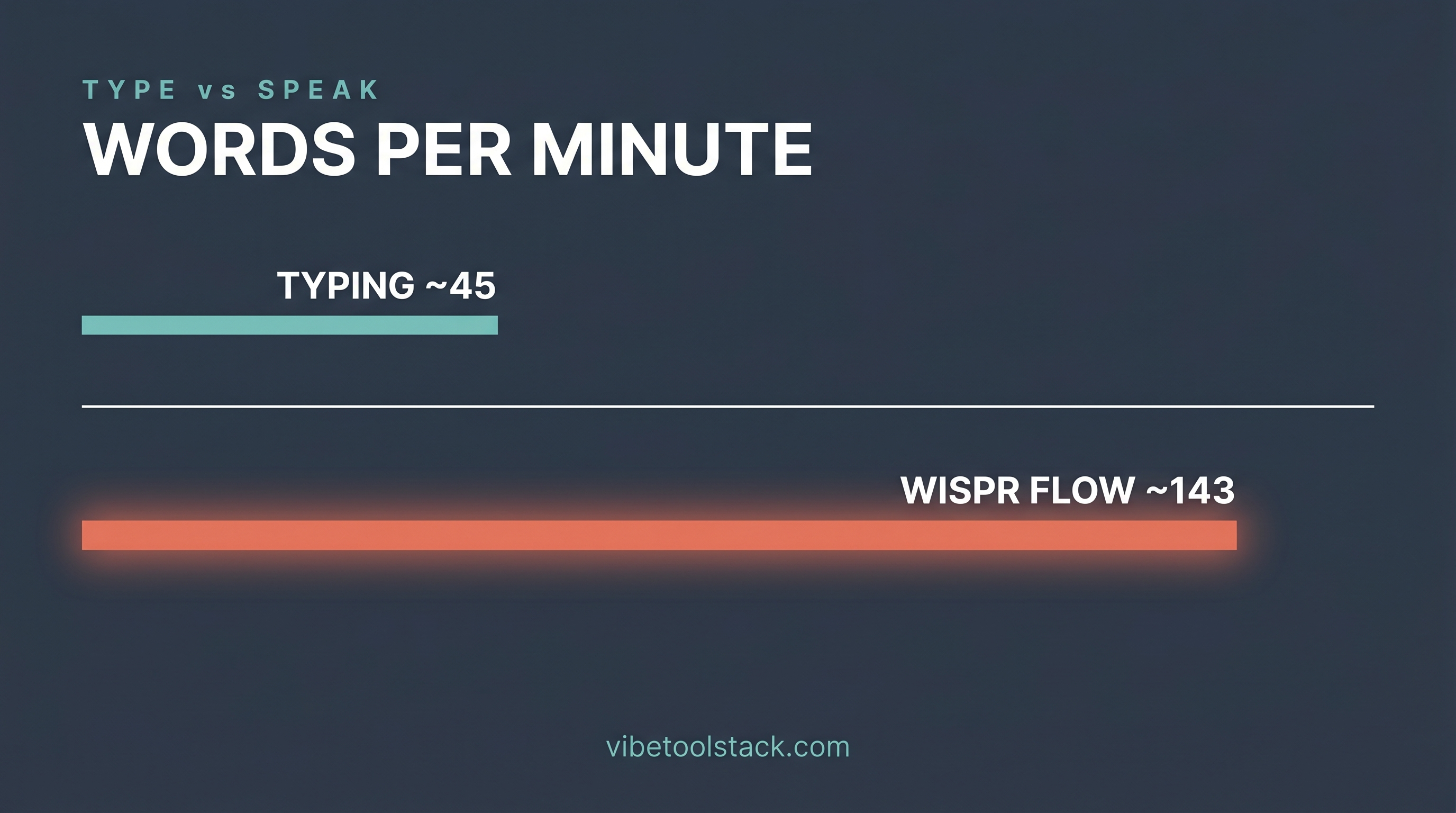
System-wide dictation that drops clean, auto-formatted text into any app at talking pace, which makes long AI prompts and chat messages dramatically faster than typing.
It is cloud-first, so speech is processed off-device, and it runs on a subscription (around $12-15/mo for Pro as of June 2026). Privacy-sensitive users and those who prefer one-time or local-only tools are the most common churn cases.
- ✓You prompt Claude, Cursor, or other AI tools constantly and want to front-load context without the typing tax.
- ✓You send a lot of chat and async messages and want them formatted clean without editing.
- ✓You want one dictation tool that works system-wide across every app, not locked to a single editor.
- ✓You want to shift typing load off your wrists during long building days.
- ✗You handle highly sensitive material and need speech to never leave your device: a local-only tool like Superwhisper or MacWhisper fits better.
- ✗You want a one-time purchase and refuse a monthly subscription.
- ✗You need fully hands-free accessibility-grade voice control: Talon goes deeper.
- ✗You work offline often and need full accuracy without a network connection.
Overview
Wispr Flow is a voice dictation app that lets you speak instead of type, anywhere on your machine. You hold a hotkey, talk, and it drops cleaned-up text into whatever app has focus: your chat client, your code editor, your AI prompt box, a Google Doc. It auto-formats, strips filler words, and adapts to your custom vocabulary, so what lands on screen reads like you wrote it, not like a raw transcript.
It runs on Mac and Windows (plus iPhone and Android), supports 100-plus languages, and works across apps rather than living inside one editor. For builders, the real pull is speed: dictating prompts to Claude or Cursor, firing off team-chat messages, and drafting docs at talking pace instead of typing pace.
It competes with Superwhisper, Aqua Voice, MacWhisper, WillowVoice, the built-in macOS dictation, and accessibility-first tools like Talon. The honest split: Wispr Flow leans cloud-first for accuracy and formatting, where Superwhisper and MacWhisper lean local for privacy. More on that trade-off below.
Pros & Cons
Pros
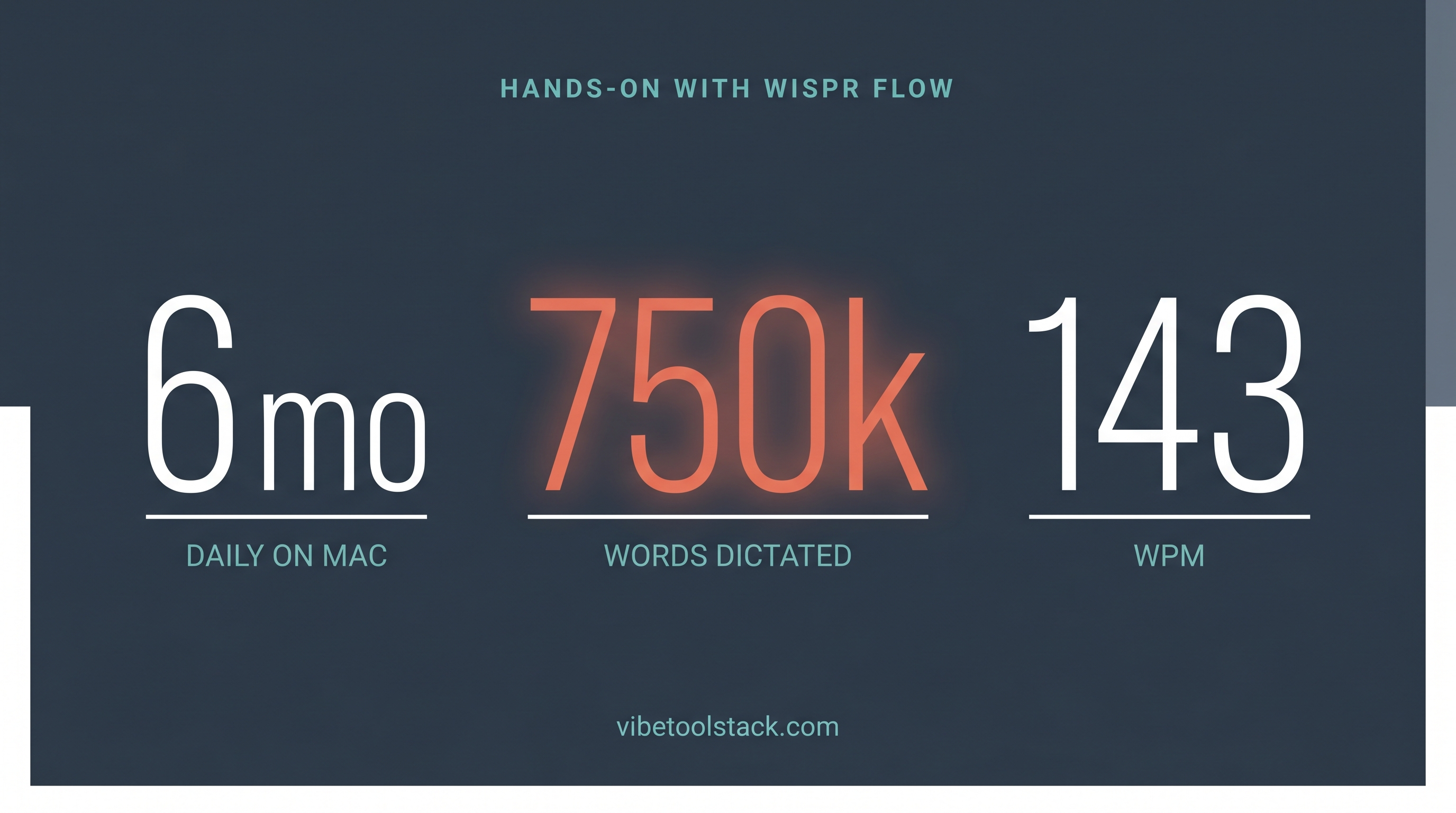
Fast and accurate in real daily use: 143 WPM held up across 750k words for me without constant correction
Works system-wide, not locked to one editor, so the same hotkey drops text into chat, code, AI prompts, and docs
Auto-formatting and filler-word removal mean output reads like writing, not a raw transcript
Custom dictionary handles names, product terms, and jargon that trip up cheaper dictation
Generous-enough free tier (2,000 words/week on desktop) to test before paying
Cons
Cloud-first processing: your speech is sent off-device, which matters if you handle sensitive material (see the privacy note below)
Subscription pricing (around $12-15/mo for Pro as of June 2026) when some rivals offer one-time or local-only options
Free tier caps at 2,000 words/week on desktop, so heavy users will hit Pro quickly
Requires a network connection for full accuracy, unlike local-only tools such as MacWhisper
My Experience
Best Use Cases